Kitchen display system for restaurant business
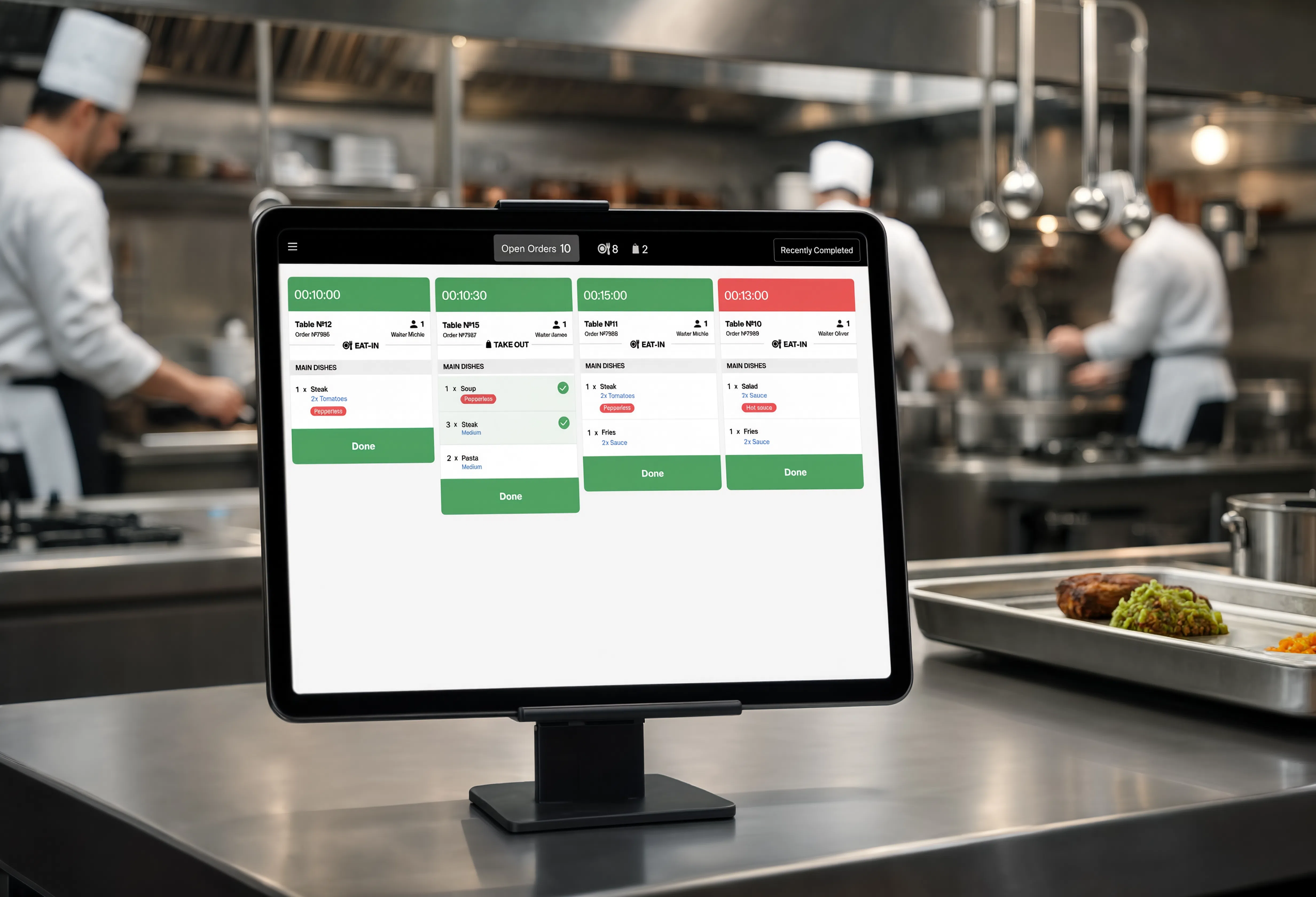
Designed to support fast-paced kitchen operations, the KDS focuses on clear order hierarchy, timing, and visual status indicators to improve speed, coordination, and accuracy.
B2B · Tablet Design
Overview
Designed to support fast-paced kitchen operations, the KDS focuses on clear order hierarchy, timing, and visual status indicators to improve speed, coordination, and accuracy.
My Responsibility
As part of a cross-functional team, we designed a Kitchen Display System focused on clear order prioritization and effective communication between front-of-house and kitchen staff.
Design Process
Understand the needs and challenges of business and customers. Research of competitors and data analysis, feedback, information collection.
Clearly articulate the problem statements based on insights gathered from the empathy phase.
Working with ideas, design options, brainstorming with the team, using AI tools.
Develop prototypes with different ideas using AI tools to visualize and test the proposed solutions. And Work with UI design.
The team and the first clients are testing the design, collecting initial feedback and improving the design.
Research
Competitor Analysis
Must Have
Nice to Have
Attractive
Target Audience — 2 groups
Need to know which one to prepare next, and if there is a way to pool orders together by making fries in batch for instance.
They take decisions to change the queue of the orders if necessary and analyze daily sales and inventory.
User Pain Points
Need flexibility in moving tickets. Dragging, moving, organization, prioritize or manipulation of the tickets in real time
Minimize screen contact (minimum sorting)
Ability to recall tickets to the undone screen.
Ability to recall tickets to the undone screen.
The ability to choose a mode. Light mode vs. dark mode
Color coding for dine-in, delivery, and take-out.
A louder notification ding and the ability to turn it off.
Possibility to correct the order. Ability to leave notes from the kitchen, which will be displayed on the screens
Problem Statements
Problem Statement
Problem Statement
Service Workflow
This is a simplified example flow — actual kitchens typically run several parallel hot and cold stations.
Expeditor
A single overview screen showing every order in the queue. The expeditor uses it to track overall order status and timing across the whole kitchen.
Hot Station
A station-specific screen (grill, fries, etc.) showing only the tickets relevant to that station, so cooks see just what they need to prepare.
Problem & Solution
Challenge
Kitchen environments are high-pressure, high-speed, and leave no room for ambiguity. The challenge was understanding the real dynamics of kitchen operations without direct user access — relying entirely on deep secondary research and competitive analysis.
Solution
Built understanding through rigorous research: studying how professional kitchens operate, what causes coordination breakdowns, and how existing KDS solutions fall short. Translated that into a clear, functional UI focused on order hierarchy, timing, and visual status — designed for the heat of real kitchen conditions.
Developer Handoff
Throughout the project, I worked in close collaboration with developers — participating in regular syncs, clarifying design intent, and adapting solutions based on technical constraints. Before presenting decisions to the product owner, the designer and developer would validate solutions together internally, ensuring feasibility and catching edge cases early.
UI Design Phase — Core screens
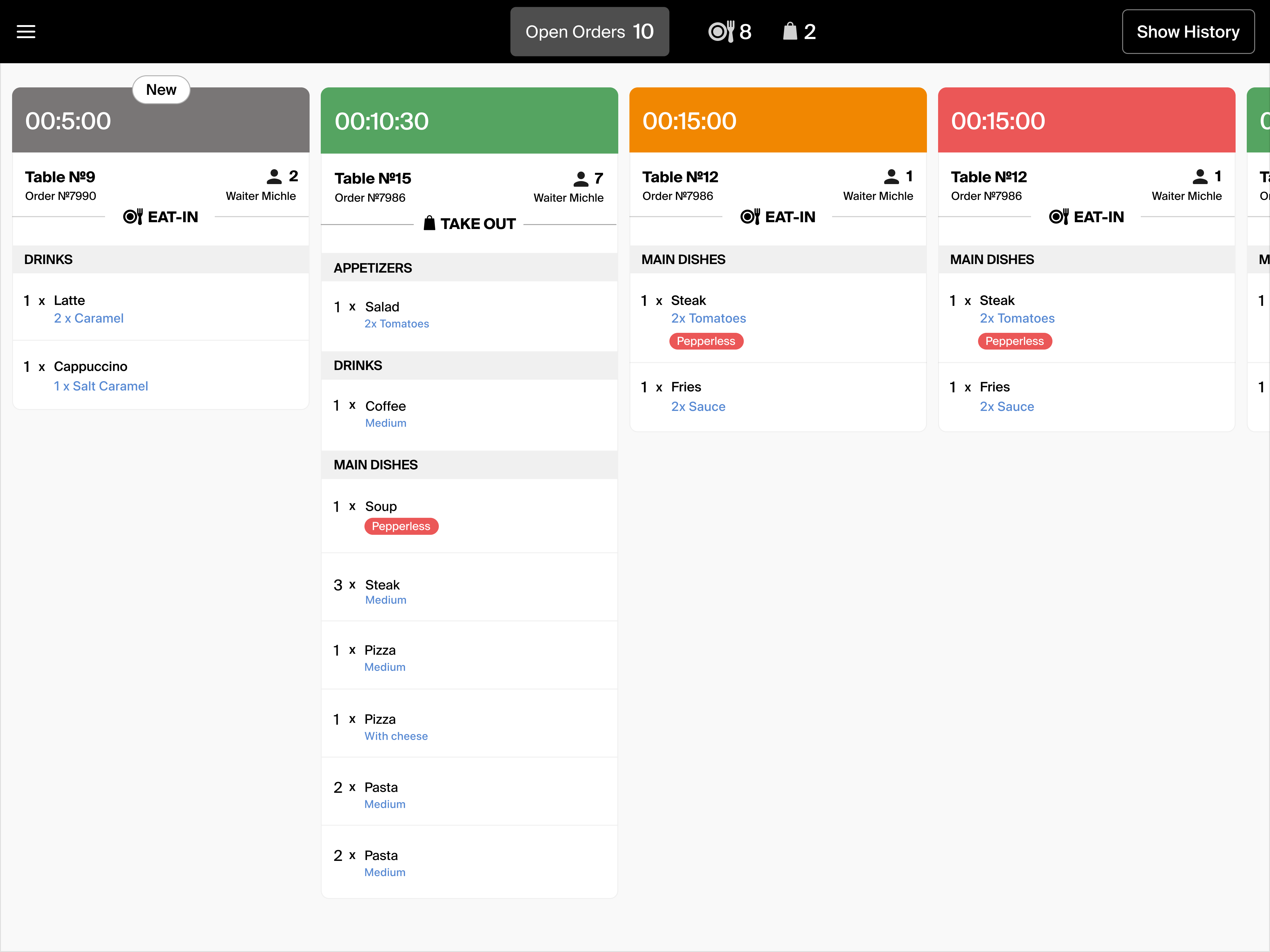
New order
Not started yet
In progress
Preparation started
Running low
Time nearly up
Critical
Time almost out
Note: the countdown is calculated based on the number of dishes in the order and their prep time, as defined in the tech cards (recipe specs).
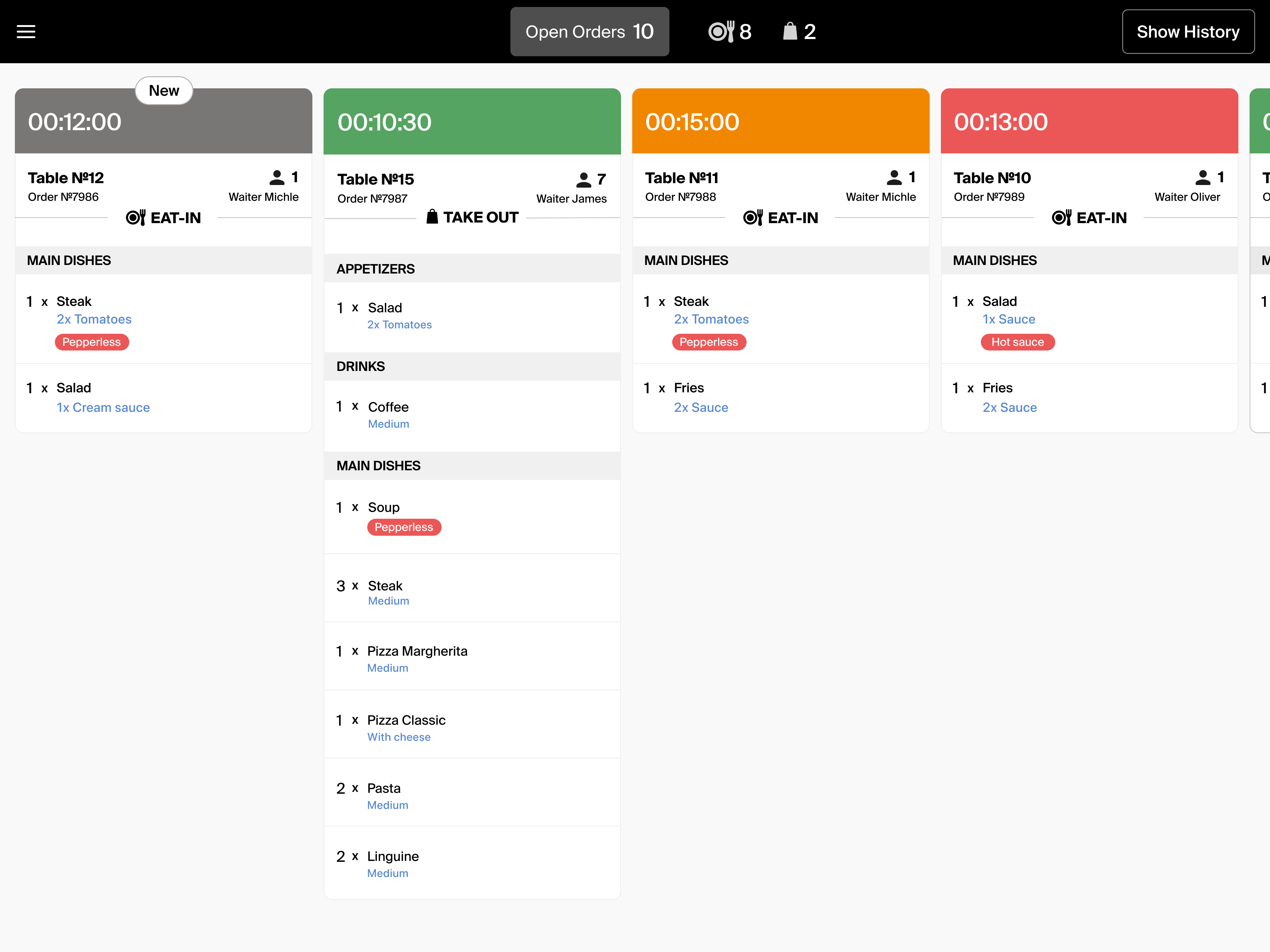
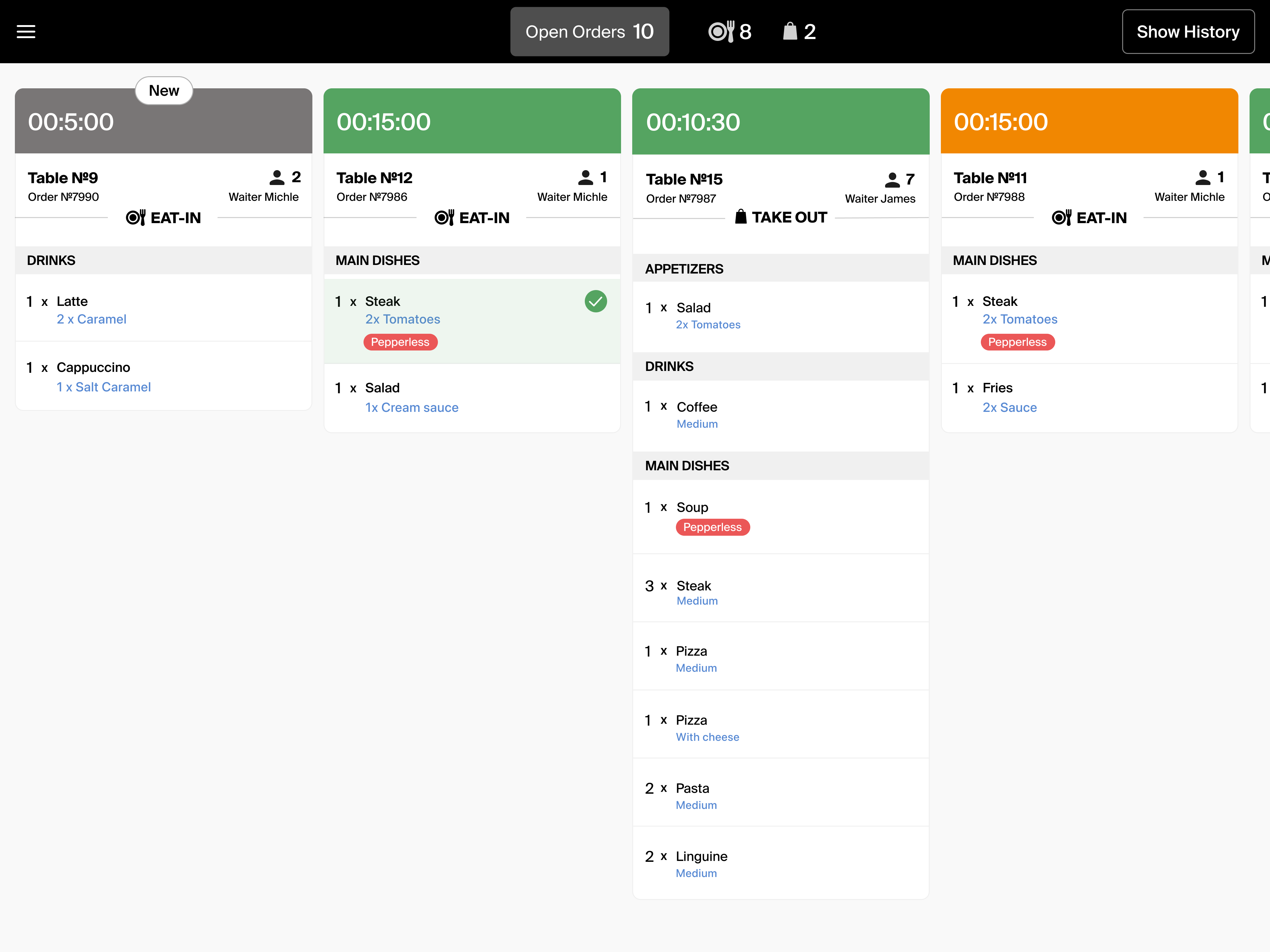
New order arrives & item marked as done within the order
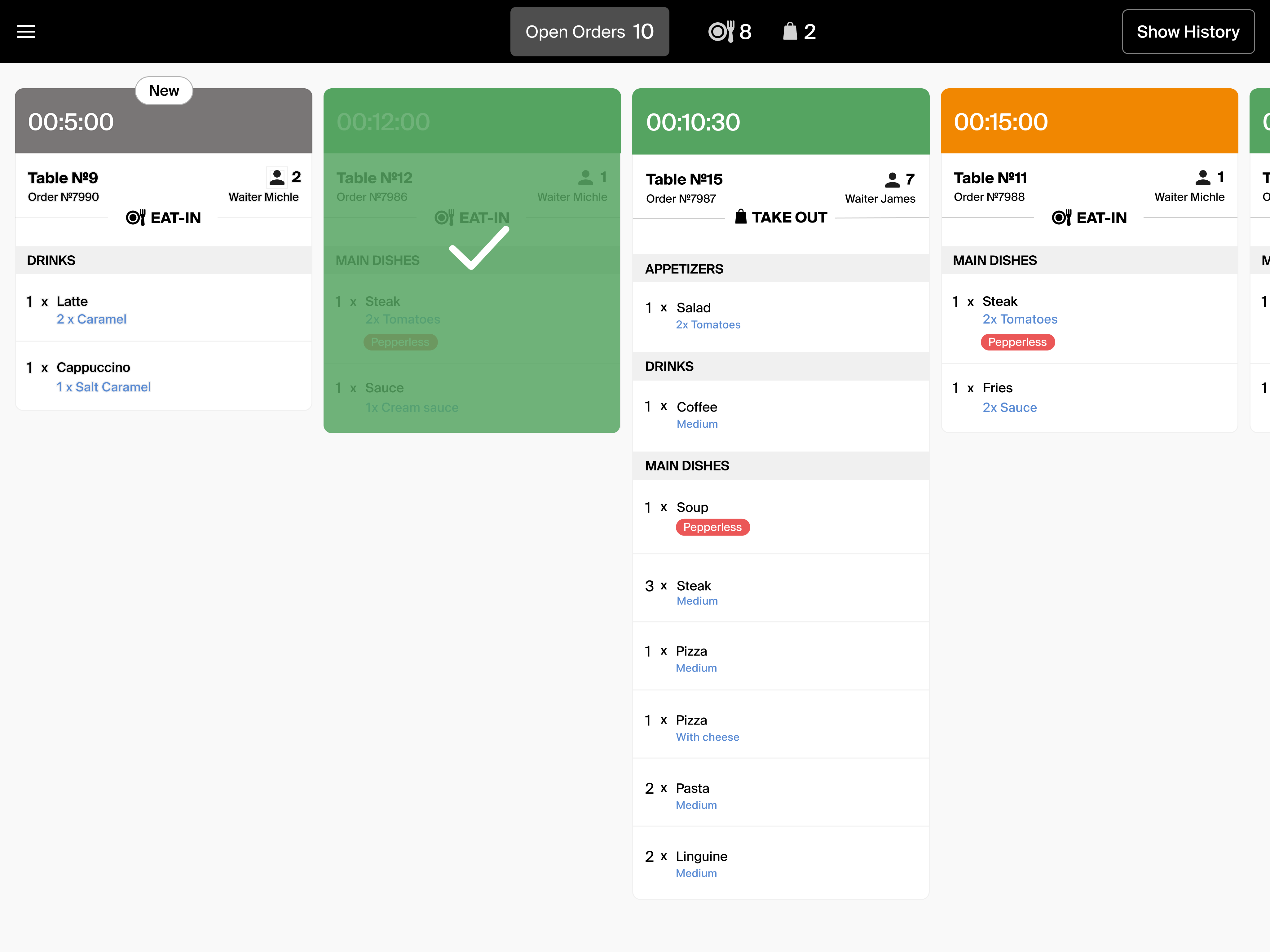
Order fully completed & next new order appears
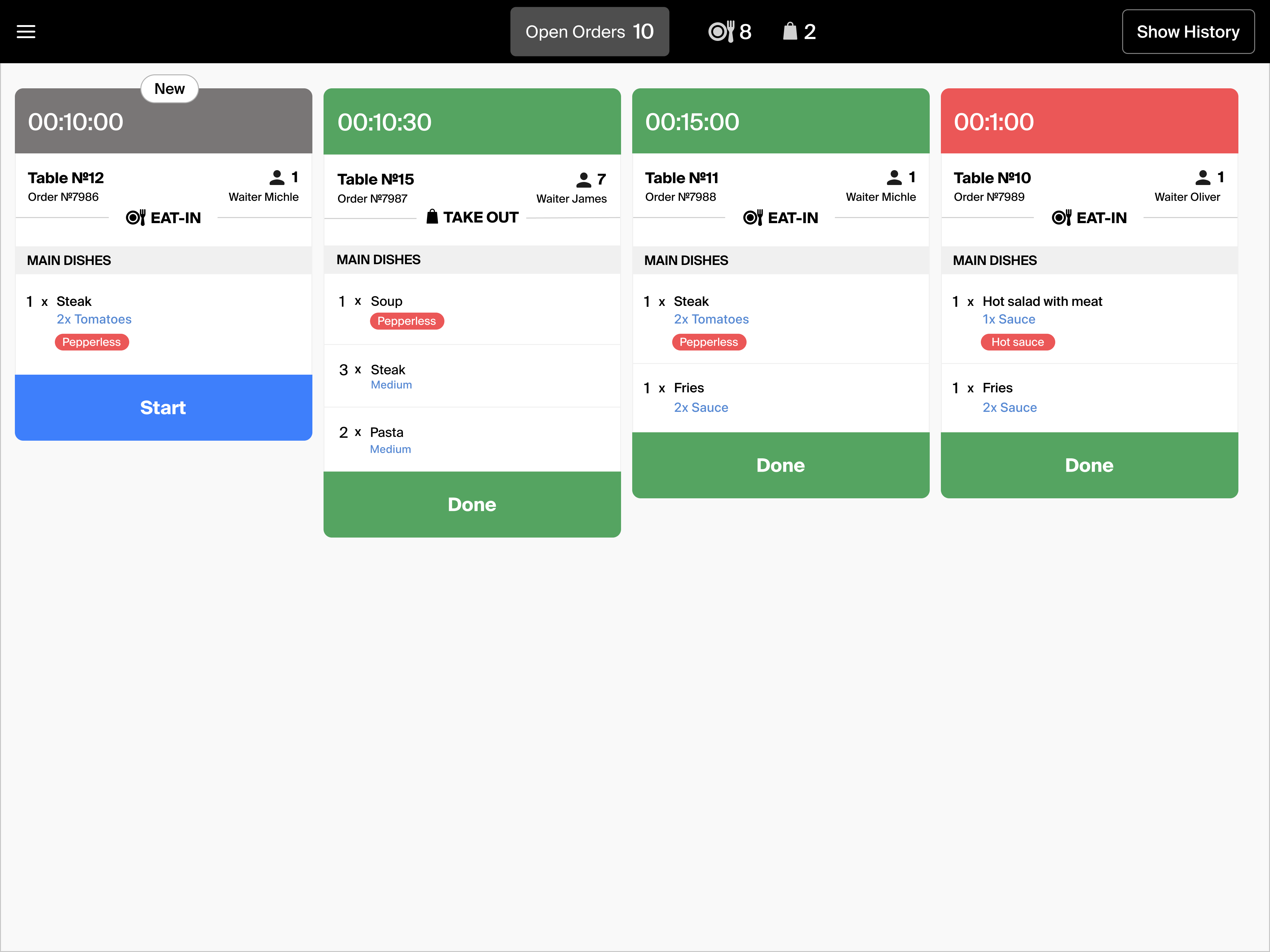
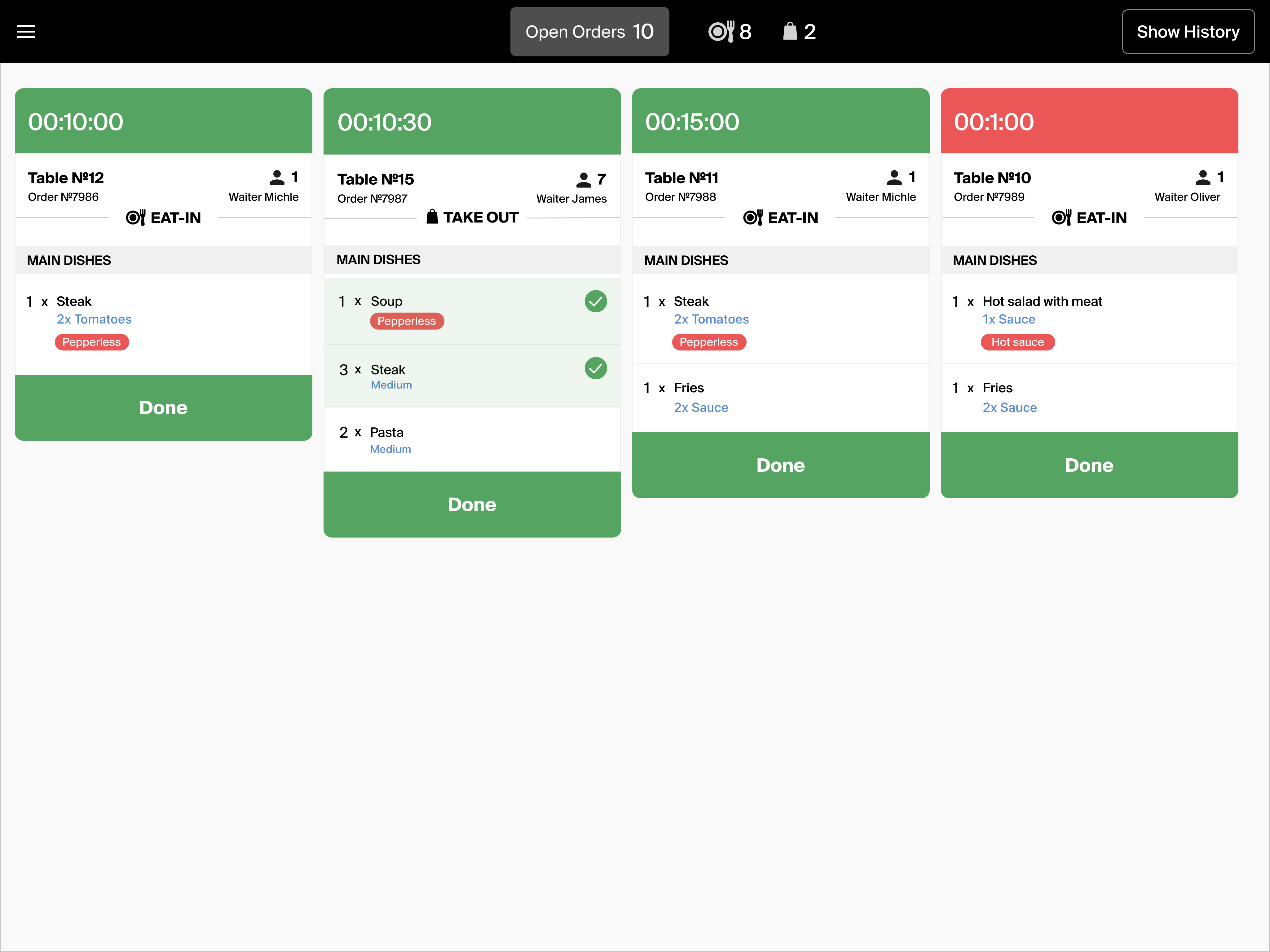
Hot Station — new order & order marked done
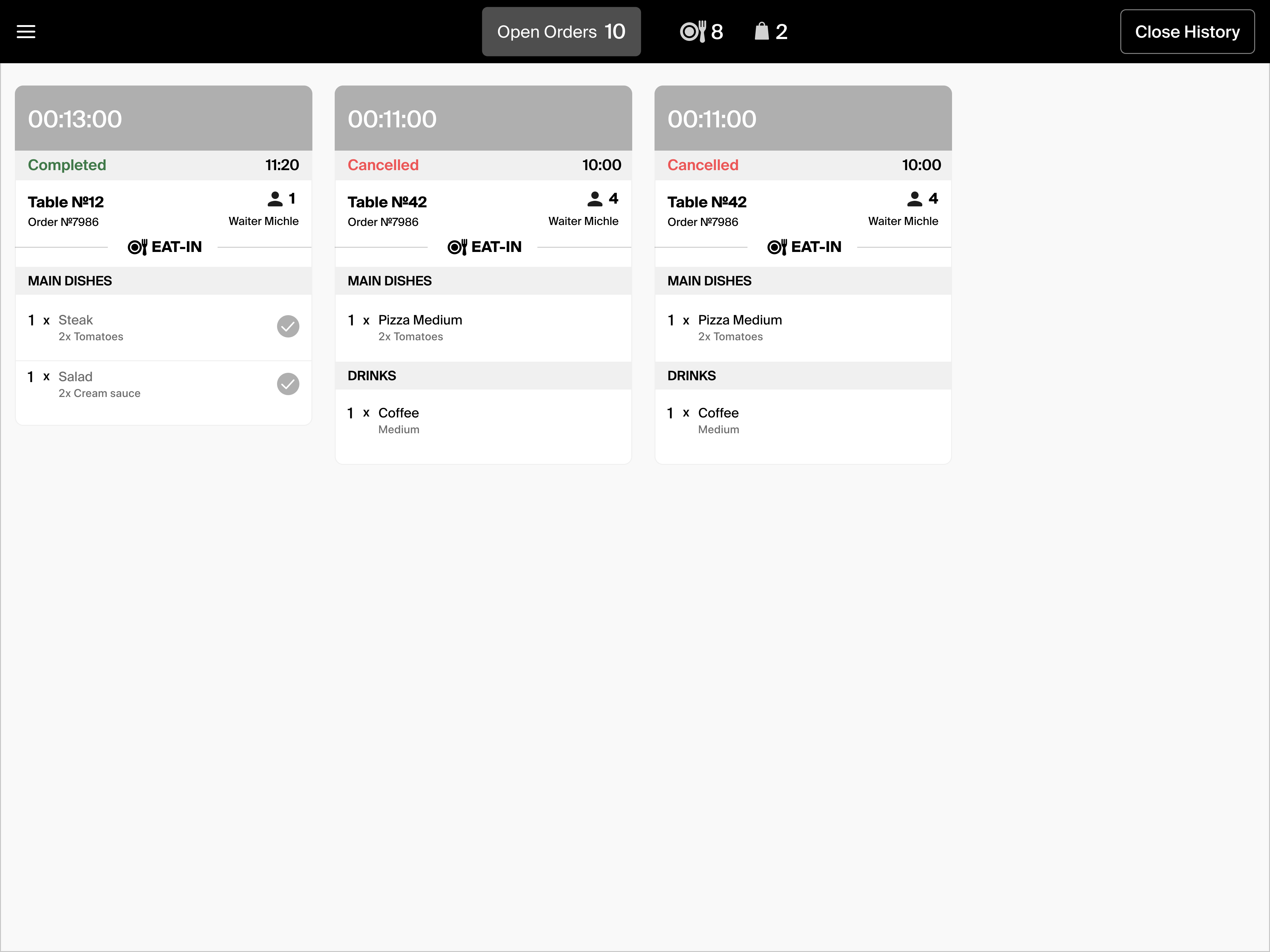
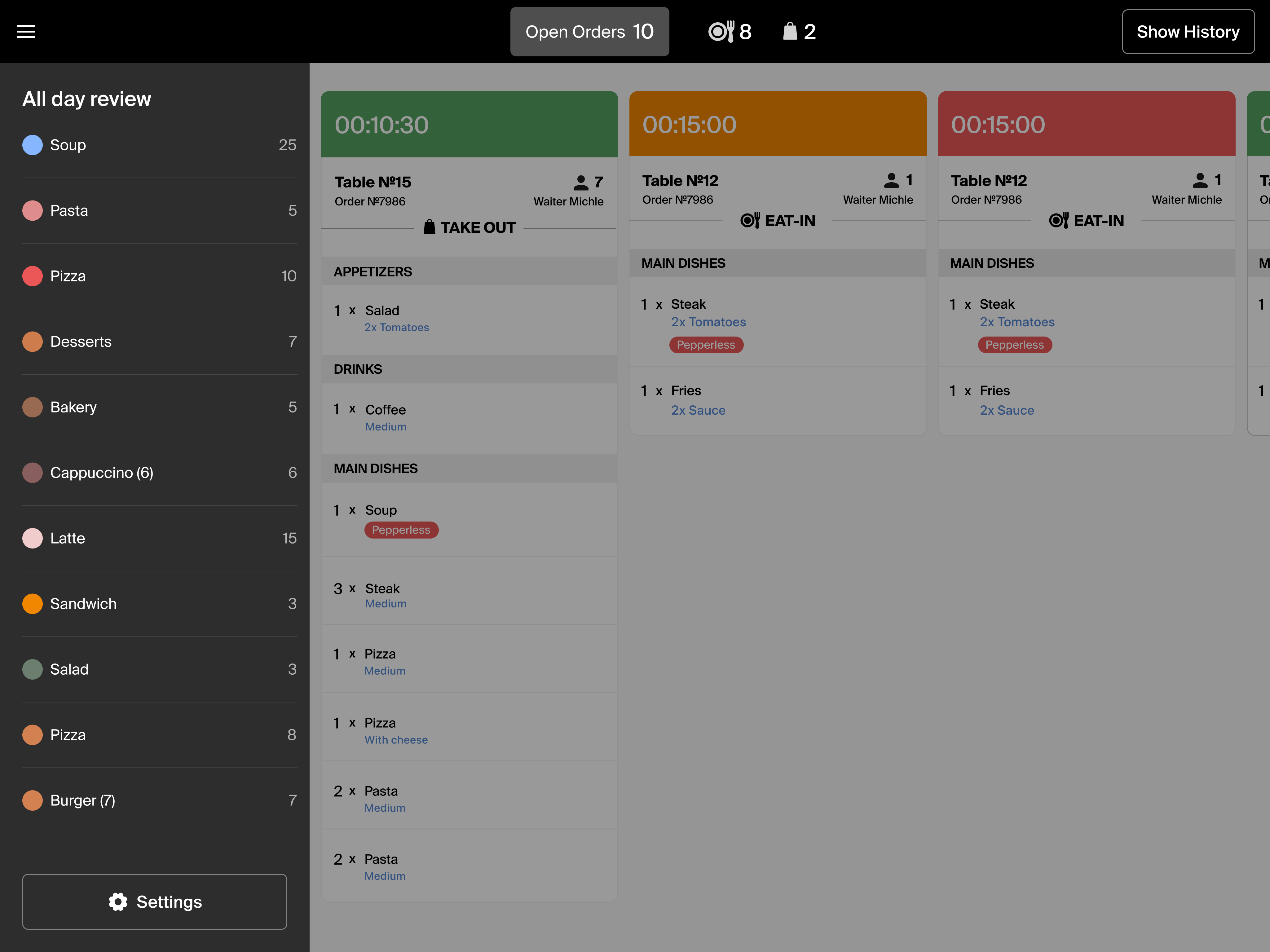
Order history & all day review
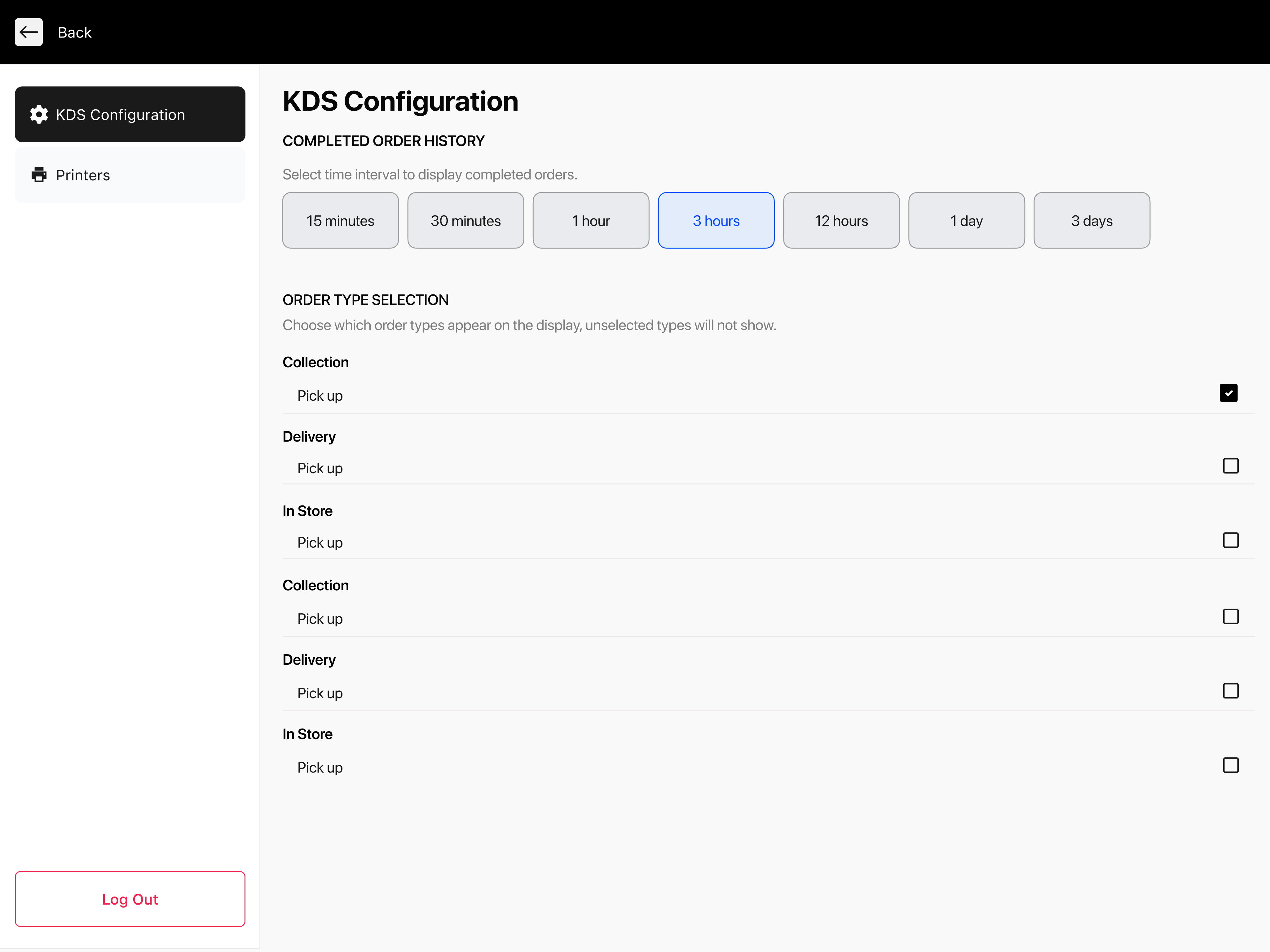
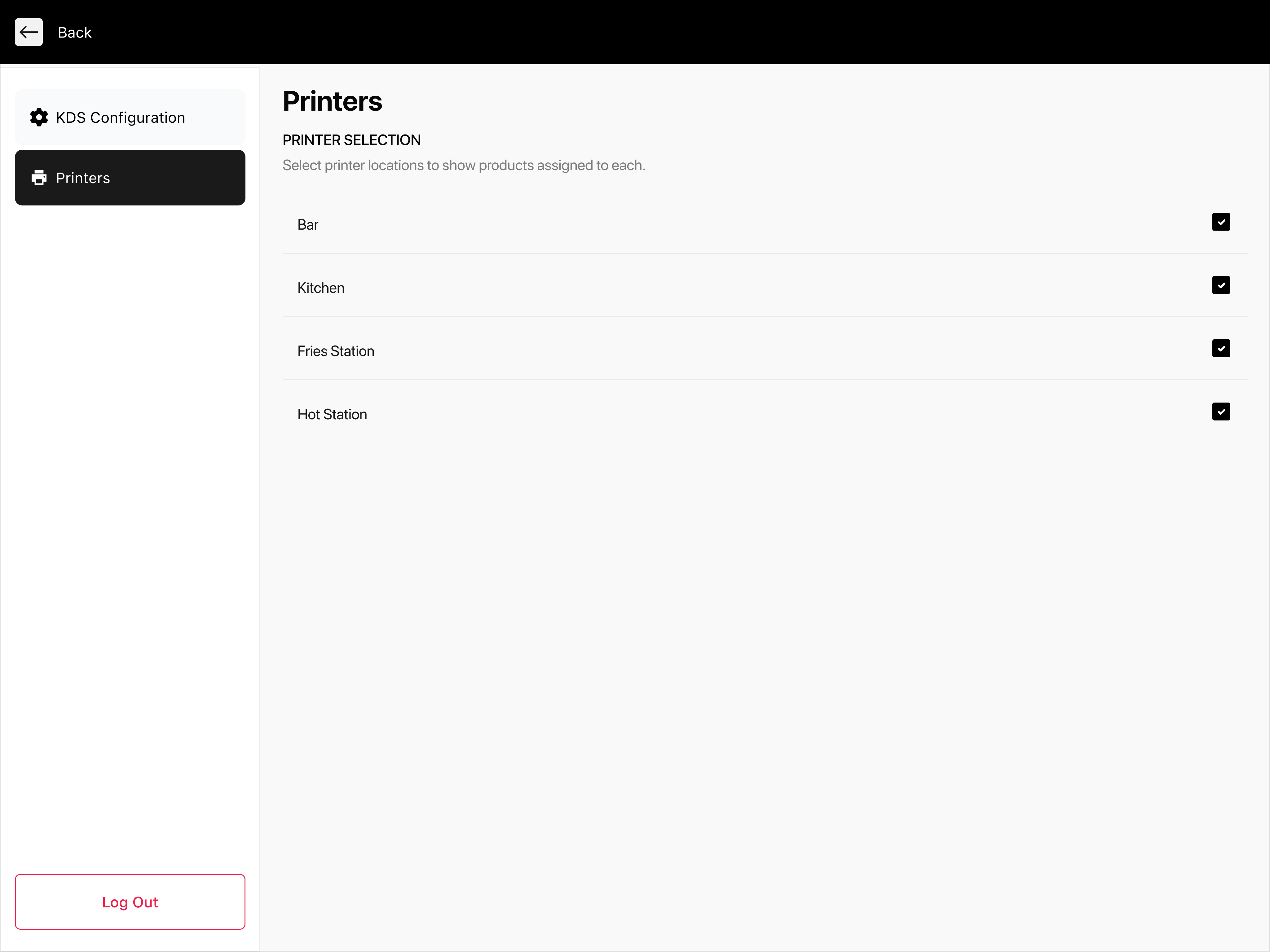
KDS configuration & printer selection
Outcomes & Impact
First KDS versions shipped
Expeditor and preparation station views designed and delivered as first working product versions, enabling kitchen teams to receive and manage orders digitally.
Iterated from team feedback
Continuous refinement based on feedback from the development team and stakeholders — improving the clarity of order states, timing indicators, and station-specific views.
Clear order status system
Color-coded order hierarchy — new, in progress, warning, urgent — reduced kitchen coordination errors and gave staff instant visual clarity under pressure.
Multi-station workflow supported
Designed separate views for expeditor and preparation stations, enabling parallel kitchen workflows without confusion or missed orders.
This project is presented for portfolio purposes only. While not under NDA, all business data are confidential. Only selected core screens are shown, and all information has been modified to protect privacy.